
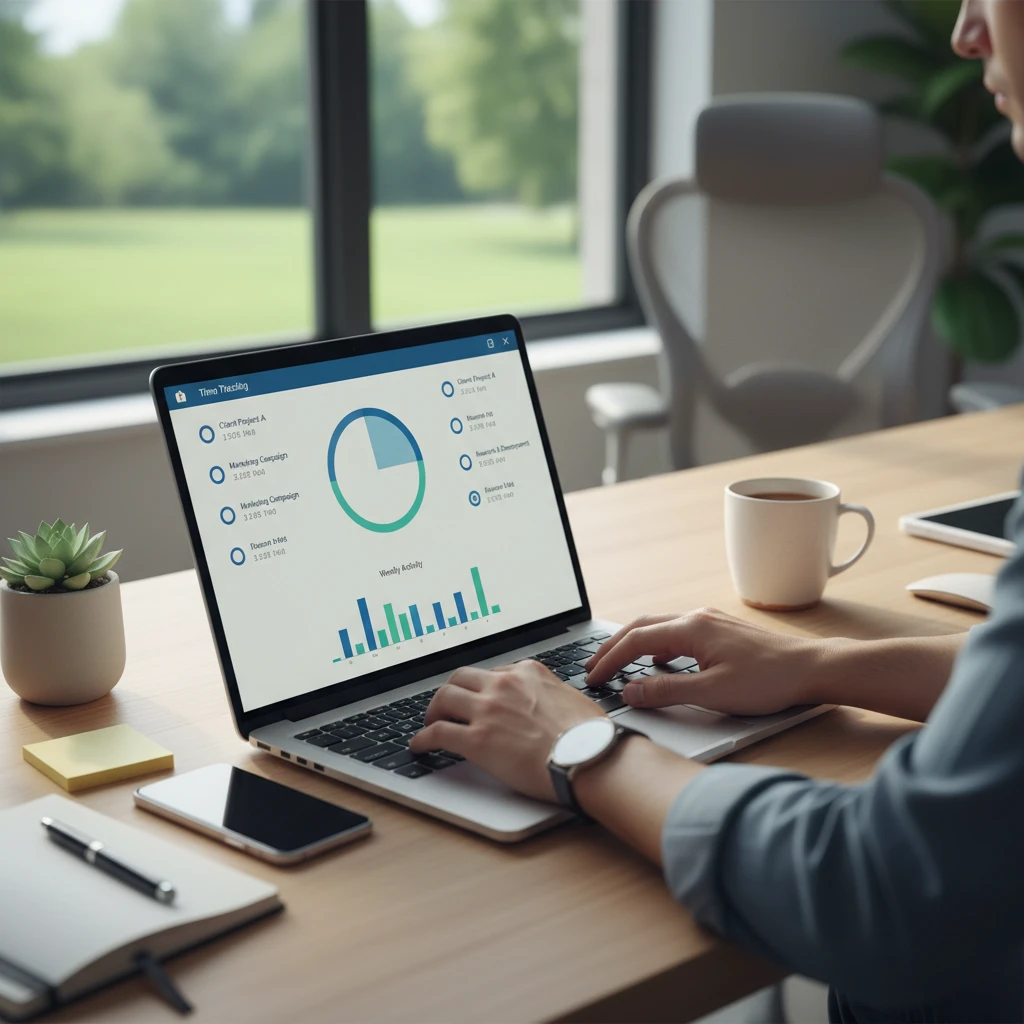
Working from home gives you flexibility, but it also blurs the line between work and personal time. Without a fixed office schedule, hours slip away, projects overrun, and invoices go out with guesswork instead of data. That is why time tracking apps for remote workers have become a core part of the modern work toolkit. This guide explains what to look for, compares the main types of tools, and helps you pick the one that fits your workflow.
Why Remote Workers Need Time Tracking
Time tracking is not only about monitoring. Used well, it helps freelancers, employees, and managers in practical ways.
- Accurate billing: Freelancers and agencies can invoice clients based on real hours instead of estimates.
- Better productivity: Seeing where your hours go reveals meetings, context switching, and low-value tasks that drain your day.
- Healthier boundaries: Logged hours make it easier to notice overwork and protect personal time.
- Realistic planning: Historical data improves project estimates and deadlines.
- Transparency for distributed teams: Managers get visibility into workload without constant check-ins.
Key Features to Look for in a Time Tracking App
Not every tool suits every remote setup. Before comparing brands, decide which features matter most to you.
Simple, Fast Time Entry
If starting a timer takes more than a couple of clicks, you will forget to use it. Look for one-click timers, keyboard shortcuts, and browser extensions or desktop widgets that stay out of your way.
Cross-Device Sync
Remote workers often switch between a laptop, phone, and tablet. A good app syncs in real time across web, desktop, iOS, and Android, so a timer started on one device can be stopped on another.
Project and Task Organization
Tags, clients, projects, and sub-tasks let you break down hours in a meaningful way. This is essential for reporting and billing.
Reports and Analytics
Clear weekly and monthly reports show where time is spent. Exportable formats such as CSV or PDF are useful for invoices and payroll.
Integrations
The best tools connect with the software you already use, such as project management platforms, calendars, accounting software, and communication apps. Fewer manual steps mean fewer errors.
Offline Mode
Internet connections are not always stable at home or while traveling. Offline tracking that syncs later keeps your records complete.
Privacy Controls
Some apps capture screenshots, track app usage, or monitor activity levels. If you are a team lead, think carefully about what is truly necessary. If you are an employee, check what data is collected and who can see it.
Types of Time Tracking Apps
Manual and One-Click Timers
These tools put you in control. You start and stop timers or add entries after the fact. They suit freelancers and professionals who value autonomy and do not want monitoring features. Toggl Track and Clockify are well-known examples in this category.
Automatic Time Trackers
Automatic trackers run in the background and record which apps, documents, and websites you use. You then assign that activity to projects. They are helpful if you often forget to start a timer, and tools like RescueTime and Timely follow this approach.
Employee Monitoring and Productivity Platforms
Apps such as Hubstaff, Time Doctor, and similar platforms add features like activity levels, optional screenshots, attendance, and payroll. They are designed for companies managing hourly remote staff or contractors. Transparency and clear policies are crucial when using them, since heavy monitoring can damage trust.
Project Management Tools with Built-In Tracking
Some project platforms include timers inside tasks. This works well if your team already lives in one system, though dedicated tracking tools usually offer deeper reporting.
Popular Time Tracking Apps for Remote Workers
Features and pricing change often, so always verify current plans on each vendor’s website. Here is how popular options are generally positioned.
- Toggl Track: Known for a clean interface, quick timers, and strong reporting. A good fit for freelancers and small teams who want simplicity.
- Clockify: Popular for its generous free offering and unlimited tracking for teams, making it attractive for budget-conscious groups.
- Harvest: Combines time tracking with invoicing and expense tracking, which suits consultants and agencies.
- Hubstaff: Offers GPS, activity tracking, scheduling, and payroll features for distributed teams that need more oversight.
- Time Doctor: Focused on productivity insights and attendance for remote companies that want detailed data.
- RescueTime: Best for personal productivity, since it automatically categorizes your digital habits without much effort.
- Everhour: Integrates closely with project tools and adds budgeting features for teams managing project profitability.
- Timely: Uses automatic tracking and memory-style timelines to help reconstruct your workday.
How to Choose the Right App for Your Situation
If You Are a Freelancer
Prioritize simple timers, client and project tags, and invoicing. A lightweight tool with a free tier is often enough. Look for the ability to mark time as billable or non-billable and to export clean reports for clients.
If You Manage a Remote Team
Focus on team dashboards, approval workflows, permission levels, and integrations with your project and payroll tools. Decide in advance whether you need monitoring features or whether outcome-based tracking is a better fit for your culture.
If You Are a Remote Employee
Choose an app that helps you manage your own workload and demonstrate your results. If your employer requires a specific tool, ask what data is collected and how it will be used.
If You Run an Agency
Look for budget alerts, profitability reports, and rate management by project or team member. These features turn tracked time into financial insight.
Tips for Making Time Tracking a Habit
- Start your timer at the beginning of each task. Do not wait until the end of the day to reconstruct hours.
- Keep your project list tidy. Too many categories create friction and inconsistent data.
- Review your reports weekly. A short ten-minute review shows patterns you can act on.
- Use reminders. Idle-time prompts and daily reminders prevent gaps.
- Track breaks honestly. Accurate data includes rest, which helps you plan sustainable workdays.
- Automate where possible. Calendar and project integrations reduce manual entry.
Privacy, Trust, and Legal Considerations
Time tracking involves personal data, especially when apps record screens or application use. Employers should communicate clearly what is tracked and why, and comply with local labor and data protection laws such as GDPR where applicable. Employees should read the privacy policy, ask about retention periods, and understand whether tracking continues outside working hours. Trust-based policies, with clear expectations and focus on results, generally outperform heavy surveillance in the long run.
Common Mistakes to Avoid
- Choosing a tool based only on price without testing the interface.
- Adopting monitoring software without informing the team.
- Tracking too many details, which leads to abandonment.
- Ignoring the data after collecting it.
- Skipping a trial period. Most apps offer a free plan or trial, so test two or three before committing.
Frequently Asked Questions
Are free time tracking apps good enough for remote work?
For many freelancers and small teams, yes. Free plans often include unlimited timers, basic reports, and core integrations. Paid plans become worthwhile when you need advanced reporting, approvals, billing, or team management.
Do time tracking apps reduce productivity?
Not when they are easy to use. A lightweight tracker adds minimal overhead and often improves focus because you commit to one task at a time.
Is automatic tracking better than manual tracking?
It depends. Automatic tools are convenient and capture details you might miss, while manual timers offer more accuracy for billing and more control over what gets recorded. Some people use both.
Can I track time across multiple clients?
Yes. Most apps let you assign entries to separate clients and projects, with individual rates and reports for each.
Final Thoughts
The best time tracking app for remote workers is the one you will actually use every day. Define your goals, whether that is billing accuracy, better focus, or team visibility, then shortlist two or three tools and test them for a week or two. With the right app and a consistent habit, you will gain clearer insight into your work, stronger boundaries, and more confidence in how you spend your time.



Deixe um comentário